← 返回攻略列表
日本旅行必备 App 2026: 真的用得到的 12 个
ByRen Sato
2026-06-07 · 8分钟阅读
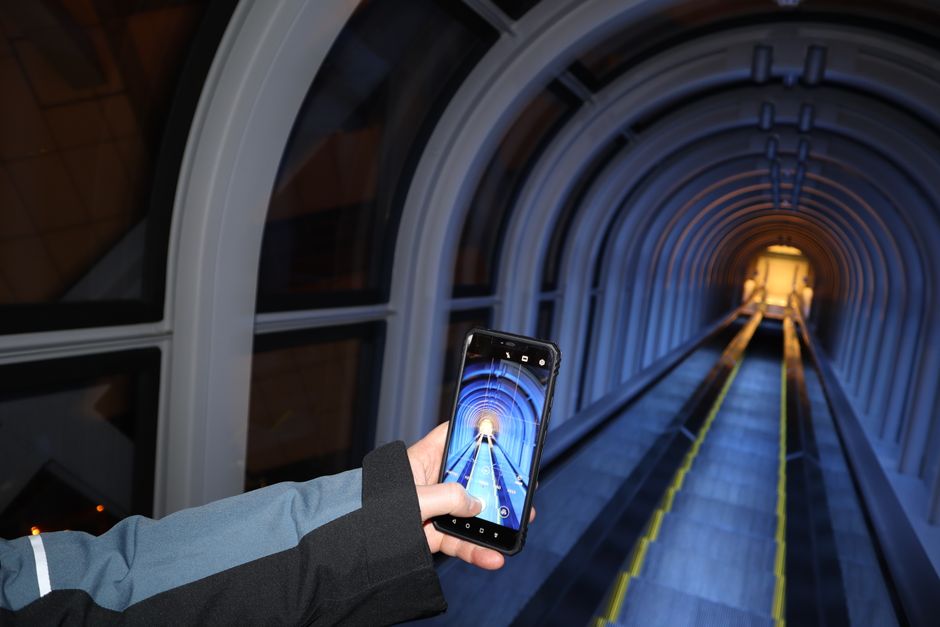
💡文章重点⏱ 4 分钟阅读
跳过 50 个 app 的指南。这是 2026 每个日本旅客真正会用的 12 个 app,依解决问题分类。
多数「50 个必备日本 app」指南浪费时间。真相: 你只需 12 个 app 处理日本旅行 99% 情境。这是 2026 清单 — 什么有效、什么没用、安装顺序。
💡现场确认: 2026 年 9 月
价格、日期、开放时间、预约政策皆已通过实地或直接与经营者联系确认。
速览: 日本 App 2026
| 项目 | 细节 | 预订 |
|---|---|---|
| 抵达前必备 | Google 翻译、地图、eSIM、Klook | 🏨 预订 |
| 抵达后必备 | Suica 钱包、Google Maps、GO Taxi | 🏨 预订 |
| App 总花费 | $15〜25(eSIM、部分付费) | 🏨 预订 |
| 需要空间 | 离线地图+翻译约 2GB | 🏨 预订 |
| 免费 vs 付费 | 全 app 免费;eSIM 约 $15/周 | 🏨 预订 |
⏰ 抵达前先装 eSIMPR 和 Suica — 需要事前设定。其他 Day 1 再说。
⭐ 50M+ travelers booked
预订日本 eSIM 数据(Klook)
From ¥2,800•Via Klook
- ✓ Skip-the-line e-tickets
- ✓ Mobile voucher, no printing
- ✓ Free cancellation up to 24h
⏰ Popular tours sell out 1-2 weeks ahead
Affiliate link — we may earn a commission at no extra cost to you.
第 1 级: 必备 — 上机前装
1. Google 翻译
- ●什么: 打字、语音、相机翻译(对准菜单/招牌)
- ●为何必备: 相机模式即时读日文菜单、招牌、说明
- ●招式: 下载日文离线包 — 没网也动(地铁隧道)
- ●替代: DeepL 更准但无相机模式
- ●价格: 免费
2. Google Maps
- ●什么: 地图、交通、走路指引、餐厅评论
- ●为何必备: 日本最好火车/公交指引,比在地 app 好
- ●招式: 出发前存东京/京都/大阪离线地图
- ●替代: Navitime、Yahoo 乘换更详但只日文
- ●价格: 免费
3. Apple Wallet / Google Wallet(Suica/ICOCA)
- ●什么: 数位交通卡 — 闸门、贩卖机 tap 手机
- ●为何必备: 不用买实体卡;即时储值
- ●招式: iPhone: 日/港/亚洲版加到 Apple Wallet,或任何 iPhone 用日文 Suica app
- ●招式 2: Android: Google Pay 支援 Felica 手机(日卖)
- ●替代: 车站买实体 IC 卡,¥500 押金
- ●价格: 免费,储值日圆
4. Airalo / Ubigi(eSIM)
- ●什么: 买数据方案为数位 SIM,不用实体卡
- ●为何必备: 落地即连网、比漫游便宜
- ●招式: 5GB 方案 = ¥1,500/周,一般使用够
- ●招式 2: 上机前装 eSIM;落地启用
- ●替代: 机场租随身 WiFi(3+ 团好)
- ●价格: 5GB/7 天 $15〜25
第 2 级: 极有用 — 抵达后装
5. Klook
- ●什么: 主题乐园、跟团、交通、eSIM
- ●为何有用: USJ 快通、JR Pass 折、即时电子票
- ●招式: 大多票比官方便宜 5〜10%
- ●替代: KKday(类似、有时更划算)
- ●价格: 免费 app;商品浮动
6. GO Taxi
- ●什么: 叫出租车(类 Uber,但用日本出租车)
- ●为何有用: 跳过街头语言障碍;app 付款
- ●招式: 41 都道府县可用;大城市覆盖
- ●替代: DiDi(类似)、Uber(日本限)
- ●价格: 免费;出租车费+¥100 app 费
7. TableLog(食べログ英文版)
- ●什么: 餐厅评论 — 当地用的「日本 Yelp」
- ●为何有用: 3.5+ = 优秀(日本评分严);3.8+ = 世界级
- ●招式: 用「午餐 course」滤便宜精致
- ●替代: 食べログ日文版评更多;Google Reviews 简单
- ●价格: 免费
8. Hyperdia / smartEX(新干线)
- ●什么: 新干线时刻表+订位
- ●为何有用: 从手机订特定车+座
- ●招式: smartEX 收外卡(Hyperdia 只搜寻)
- ●替代: JR 绿色窗口买
- ●价格: 免费 app;车费另
第 3 级: 情境 — 相关时装
9. Tokyo Subway / Tokyo Metro
- ●什么: 东京地下铁官方 app
- ●为何: 东京地下铁 24 小时券可 app 买
- ●招式: 有 IC 卡就跳过
10. 日本天气新闻(Tenki.jp)
- ●什么: 超在地天气
- ●为何: 比 Google 准;樱/红叶预报
- ●招式: 富士山能见度看「风」预报
- ●价格: 免费
11. ChatGPT / Claude(AI 助手)
- ●什么: 「涩谷附近哪有素食拉面?」即时答
- ●为何: 文化问题、礼仪、推荐比 Google 好
- ●招式: 拍菜单,问「翻译并按辣度排序」
- ●价格: 免费够;付费 ¥3,000/月
12. Pinterest
- ●什么: 灵感+计画看板
- ●为何: 搜「东京咖啡」或「京都樱花」视觉计画
- ●招式: 出发前把 pin 存离线板;没数据也查
- ●替代: IG 储存(类似但难搜)
- ●价格: 免费
可以跳过的 App(被高估)
- ●多数「50 个必备」清单塞单次用途工具。跳过。
- ●Japan Travel by NAVITIME — 有用但 Google Maps 一样
- ●Yelp — 日本餐厅在 TableLog,不在 Yelp
- ●TripAdvisor — 观光景点概观好,餐厅弱
- ●货币换算 app — Google 搜「500 円 to USD」快
- ●小费计算机 — 日本不小费
安装顺序
- ●1 周前: Google 翻译离线包、Airalo eSIM 购
- ●前一天: 地图离线、Klook 账号
- ●机舱: 启用 eSIM、开 Google Maps
- ●Day 1: Apple Wallet Suica、GO Taxi 账号、Klook 取票
- ●Day 2+: 餐厅 TableLog、问题 ChatGPT
隐私 & 数据
- ●省数据就飞行+WiFi 模式
- ●多数 app 初次下载后可离线
- ●ChatGPT/翻译用小数据(~1MB/查询)
- ●地图离线 = 0 数据
- ●小心 app 自动更新吃 eSIM
总成本
| 项目 | 费用 | 预订 |
|---|---|---|
| eSIM 5GB/周 | $15〜25 | 🏨 预订 |
| Suica 储值 | ¥3,000 起 | 🏨 预订 |
| GO Taxi 费 | 每次¥100 | 🏨 预订 |
| Klook 订阅 | 免费 | 🏨 预订 |
| ChatGPT Plus(选) | $20/月 | 🏨 预订 |
| 必备 app 总计 | $15〜25 现金 + Suica | 🏨 预订 |
FAQ
- ●需要日本电话号码? 不用,eSIM 数据够。
- ●自家门号能用吗? 能但贵 — eSIM 便宜 10 倍。
- ●任何 iPhone 都能加 Suica? iPhone 8+ 皆支援。
- ●随身 WiFi or eSIM? 单人 eSIM,3+ 团 WiFi。
- ●美/英卡能用 Klook? 可。
- ●最佳免费翻译? Google 翻译(相机)或 DeepL(文字)。
- ●离线地图耗电? 是,GPS 耗电。带行动电源。
- ●没日文能用的 app? 本清单全英文可用。
- ●VR/AR 导航? 新宿站有用;Google Live View 免费。
- ●日文句子最好 app? Google 翻译语音 + JapaneseDict。
最后小提醒
上机前装翻译+地图+eSIMPR+Suica。Day 1 加 Klook、GO Taxi、TableLog。其他有特别需要再装。这 12 个 app 涵盖 99% 情境 — 其他都是多余。留空间给照片。
🛠️ 免费旅游工具
免注册、无广告的互动工具。
📚 相关文章
日本旅行行李清单 2026: 带什么(依季节)
日本要带什么 — 季节性清单,加上要在便利店、唐吉诃德、UNIQLO 买而不带的东西。

日本省钱旅 2026:25 个实用省钱技巧
日本看似贵实际不贵。2026 年 25 个具体技巧 — IC 卡、百圆店、便利店食、免费观景台让每日 ¥30,000 变 ¥17,000。

日本 SIM 卡 vs 随身 WiFi 2026: 哪个真的比较好?
日本 SIM vs 随身 WiFi vs eSIM — 2026 年 3 种选项的诚实比较,含费用、覆盖和适合游客的选择。

赏樱旅程买 JR Pass 划算吗?
2026 赏樱行程下,JR Pass 何时划算、何时别买 — 真实费用比较。
💬觉得有用?分享出去